Radix83 Scientific Calculator
A scientific calculator for Android modeled on how the TI-83 Plus home screen works, with its own look. It has a dot-matrix LCD, sculpted keys, variables, `Ans`, and a memory of recent calculations. Graphing and programming are deliberately left out. Built with Kotlin and Jetpack Compose. There are no third-party runtime dependencies beyond AndroidX.
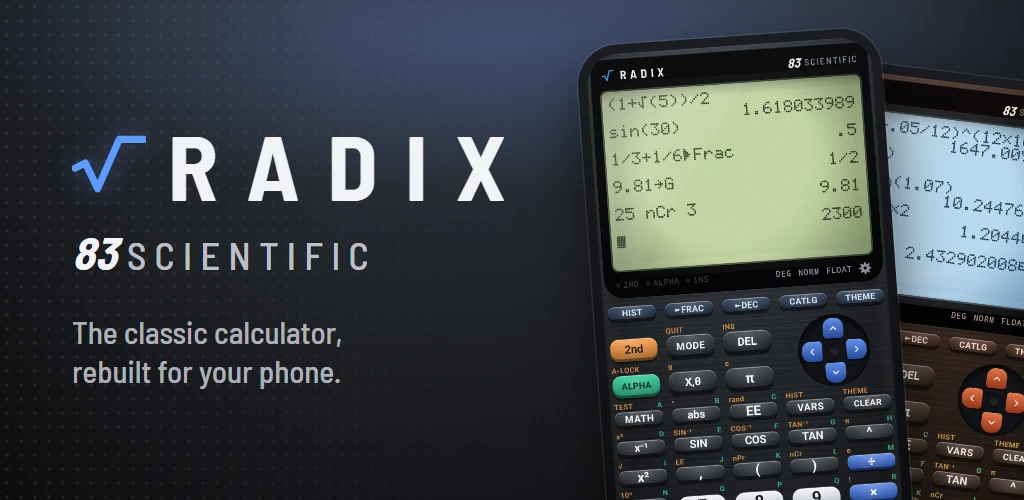
Radix 83
A scientific calculator for Android modeled on how the TI-83 Plus home screen works, with its
own look. It has a dot-matrix LCD, sculpted keys, variables, Ans, and a memory of recent
calculations. Graphing and programming are deliberately left out.
Built with Kotlin and Jetpack Compose. There are no third-party runtime dependencies beyond AndroidX.
Features
Math
- Arithmetic follows TI-83 operator precedence, including implied multiplication (
2X,3(4),2π) and a separate negation key(−). - Unclosed parentheses are closed automatically at the end of the line or before
→. - Trigonometry and inverse trigonometry in Radian or Degree mode, plus
log,ln,10ˣ,eˣ,√,³√,ˣ√,x²,x³,x⁻¹,^and°. - MATH menu:
- MATH:
►Frac,►Dec,³,³√(,ˣ√,° - NUM:
abs,round,iPart,fPart,int,min,max,lcm,gcd - PRB:
rand,nPr,nCr,!
- MATH:
- TEST menu:
=,≠,>,≥,<,≤. - Results are rounded to 14 significant digits the way the TI does, so
0.1+0.2shows.3and1/3*3shows1. - Display formats: Normal, Sci or Eng, and Float or Fix 0–9.
►Fracfinds the simplest fraction with a denominator up to 9999.- TI-style errors (
ERR:SYNTAX,DOMAIN,DIVIDE BY 0,NONREAL ANS, …) with Quit and Goto. Goto puts the cursor on the problem.
Variables and memory
- Variables
A–Zandθ:value STO→ letterstores, and 2nd RCL pastes a stored value. Ans(2nd ANS). An operator typed on an empty line getsAnsin front automatically.- ▲ / ▼ on the home screen highlight a past expression or result, and ENTER pastes it. Tapping a line on the display does the same.
- 2nd ENTRY cycles through previous entries. ENTER on an empty line repeats the last one.
- HIST lists every calculation. VARS shows every variable and its value.
- MEM (2nd +) clears variables, clears history or resets the mode settings.
- Everything (variables,
Ans, history, modes and appearance) is saved and restored across restarts.
Display and appearance
- A dot-matrix LCD in three resolutions: 16×8, 24×12 or 32×16 characters (each character is 6×8 dots). The display has faint unlit pixels, pixel shadows, backlight glow and glass glare.
- The settings page opens from THEME, 2nd CLEAR, or the gear icon under the display.
Every change previews live on the display:
- Color theme: Slate, Ice or Ember
- LCD type: Cool gray, Classic or Backlit
- Keypad: Full (with the top row of shortcut keys) or Compact (without it, for taller keys)
- Screen resolution: 16×8, 24×12 (default) or 32×16
- Keys sink with a spring animation and haptic feedback. The 2nd and alpha legends light up when those shifts are active. DEL and the arrow keys repeat while held.
Keys
The layout follows the TI-83 Plus. Keys tied to graphing or programs are repurposed:
| Key | Primary | 2nd |
|---|---|---|
| Top row (Full keypad) | HIST, ►FRAC, ►DEC, CATLG, THEME | — |
| STAT | π | e |
| APPS | abs( | ° |
| PRGM | EE | rand |
| X,θ | X | θ |
| x⁻¹ | x⁻¹ | x³ |
| ( and ) | ( and ) | nPr and nCr |
| × | × | ! |
| − | − | ³√( |
| . | . | ˣ√ |
| VARS | VARS menu | HIST |
| CLEAR | clear | THEME (settings) |
| ON | return to home | OFF (close app) |
Everything on the top row is also available in the Compact layout: HIST is 2nd VARS, ►Frac and ►Dec are MATH 1 and 2, CATALOG is 2nd 0, and THEME is 2nd CLEAR.
Use ALPHA for one letter, or 2nd ALPHA for A-LOCK. In the CATALOG, letter keys jump to entries starting with that letter.